Information Hub
Stay up to date with the latest Starlink news, internet tips and smart connectivity advice from VINCONNECT.
From improving WiFi coverage across large homes and rural properties to Starlink setup tips, CCTV connectivity, mesh systems and troubleshooting unreliable internet — we share practical, real-world advice to help you stay connected.
Simple advice. Helpful information. Better internet
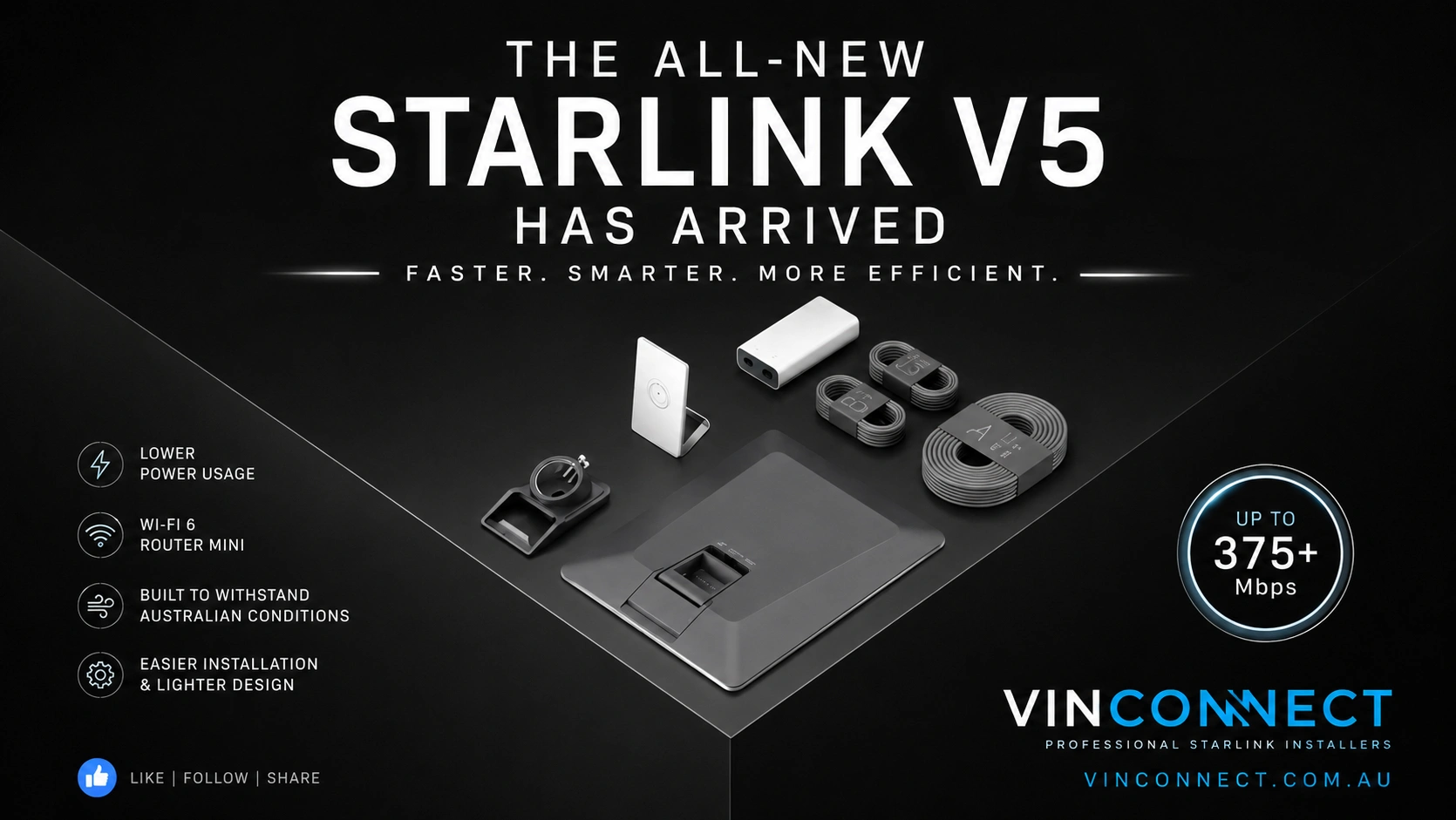
ArticleStarlink V5 is Coming: Everything You Need to Know About SpaceX's Most Advanced Dish Yet
ArticleStarlink V5 is Coming: Everything You Need to Know About SpaceX's Most Advanced Dish Yet
Starlink V5: The Next Generation of Satellite Internet is Almost Here
As Starlink continues to redefine internet connectivity across Australia, SpaceX is preparing to launch its latest residential hardware—the Starlink V5. Building on the success of previous generations, the V5 introduces a lighter, more efficient design with upgraded networking hardware, making it one of the most exciting Starlink releases to date.
For homeowners, businesses and rural properties looking for reliable high-speed internet, the Starlink V5 promises improved efficiency without compromising the performance Starlink has become known for.
At VINCONNECT, we're looking forward to helping Australian customers make the most of the new hardware with professional Starlink installations designed for maximum performance and reliability.
A Fresh New Design
The first thing you'll notice about the Starlink V5 is its completely redesigned hardware. The dish is slimmer, lighter and easier to handle, making installation quicker while reducing the load placed on roof mounts and poles.
The dish measures 384 × 306 × 34 mm and weighs just 1.1 kg, while the complete kit weighs only 3.8 kg. This makes it the lightest full-size Starlink system released so far.
Its compact design doesn't just look better—it also gives installers greater flexibility when selecting the ideal mounting location.
Improved Energy Efficiency
One of the standout improvements is reduced power consumption.
The Starlink V5 typically uses between 35 and 50 watts, making it an ideal solution for homes powered by solar, batteries or off-grid energy systems. Lower power usage also means reduced operating costs over the life of the system.
For farmers, caravan owners, remote workers and anyone living outside major towns, this is a welcome improvement.
Introducing the Router Mini
The V5 kit now includes the all-new Router Mini, delivering faster wireless networking and improved coverage throughout your home.
Features include:
Wi-Fi 6 technology
Dual-band 2×2 MU-MIMO
Two Gigabit Ethernet ports
Coverage up to 204 m²
Support for as many as 235 connected devices
Whether you're streaming movies, running smart home devices, working remotely or connecting security cameras, the Router Mini has the capacity to handle today's connected households.
Designed for Australian Conditions
Australia presents some of the harshest operating environments in the world, and the Starlink V5 has been engineered to cope with them.
It features:
IP67 weather resistance
Operating temperatures from -30°C to 50°C
Wind resistance up to 265 km/h
Snow melting capability of 40 mm per hour
These specifications make the V5 well suited to coastal homes, rural properties, alpine regions and everything in between.
What's Included?
The Starlink V5 kit contains everything required for a standard installation, including:
Starlink V5 Dish
Router Mini
Power Supply
Pipe Adapter
Kickstand
15-metre Starlink cable
2-metre Ethernet cable
1.5-metre power cable
The updated accessories simplify installation while maintaining compatibility with a range of Starlink mounting options.
Why Professional Installation Still Matters
Although Starlink has become easier to install, achieving the best possible performance still depends on where and how the dish is mounted.
A professional installation ensures:
Maximum visibility of the Starlink satellite constellation
Reduced signal interruptions
Secure mounting built to withstand Australian weather
Neatly concealed cabling
Optimised Wi-Fi coverage throughout the property
Future-ready networking for sheds, workshops and outbuildings
A poor installation can lead to unnecessary outages, reduced speeds and frustrating performance issues.
Why Choose VINCONNECT?
VINCONNECT specialises in professional Starlink installations across Victoria, helping homeowners, farms and businesses achieve reliable internet where traditional services fall short.
Our services include:
Residential Starlink installations
Rural and farm property installations
Roof, fascia and pole mounting
Cable management and concealed wiring
Mesh Wi-Fi installation
Network upgrades
CCTV and security integration
Workshop and shed connectivity
Starlink relocations and upgrades
Every installation is customised to suit your property, ensuring the strongest signal and the cleanest finish.
The Future of Starlink
The Starlink V5 isn't a complete reinvention—it's a refinement of an already outstanding product. With a lighter design, lower power consumption, an upgraded Wi-Fi 6 router and simplified installation, it represents another major step forward in satellite internet technology.
As the Starlink V5 becomes available in Australia, VINCONNECT will be ready to provide professional installations that maximise performance from day one.
Whether you're upgrading from an older Starlink system or joining the Starlink network for the first time, the V5 is shaping up to be the smartest and most capable residential Starlink kit yet.
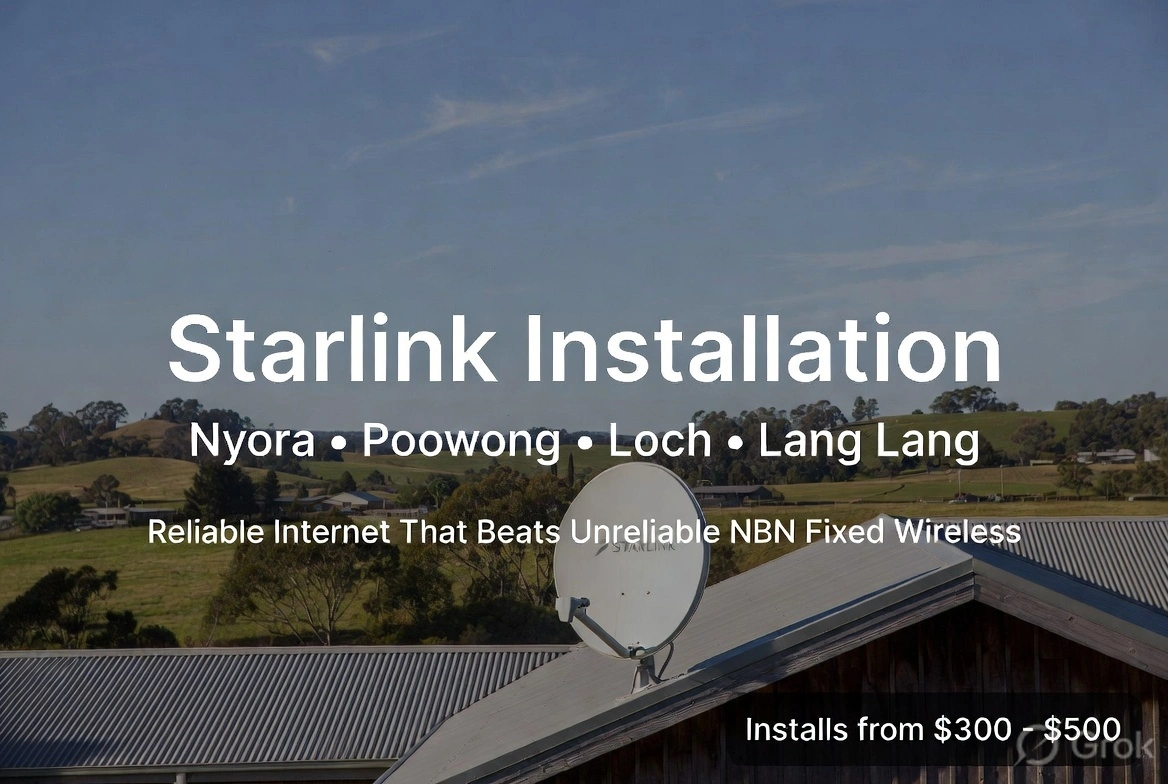
Starlink Installation Nyora, Poowong, Loch & Lang Lang | Replace Unreliable NBN Fixed Wireless
Starlink Installation Nyora, Poowong, Loch & Lang Lang | Replace Unreliable NBN Fixed Wireless
Starlink Installation in Nyora, Poowong, Loch & Lang Lang – Reliable Internet That Beats Unreliable NBN Fixed Wireless
If you’re living in Nyora, Poowong, Loch or Lang Lang and struggling with slow, drop-out-prone NBN Fixed Wireless, you’re not alone. Many homes and small businesses across South Gippsland deal with the same frustration — peak-hour slowdowns, weather-related dropouts, and speeds that never match the advertised figures.
Starlink satellite internet is changing that. Professional Starlink installations are now available right across these towns, giving residents a fast, stable alternative that doesn’t rely on crowded fixed-wireless towers.
Why Starlink Is Replacing NBN Fixed Wireless in the Area
NBN Fixed Wireless works reasonably well when the tower isn’t overloaded and the weather is clear. In practice, many properties in Nyora, Poowong, Loch and Lang Lang experience:
Evening speed drops
High latency that makes video calls and gaming frustrating
Complete dropouts during heavy rain or network congestion
Starlink operates independently of the local mobile and fixed-wireless network. Once the dish is correctly installed and aligned, you get consistent high-speed internet with much lower latency than traditional satellite services of the past. Download speeds commonly sit in the 100–250 Mbps range (and often higher), with upload speeds that easily handle remote work, streaming, and cloud backups.
Professional Starlink Installation Pricing
We offer complete Starlink installation services across Nyora, Poowong, Loch and Lang Lang with clear, upfront pricing:
$300 – $500 total installation cost The final price depends on whether we supply the mount and hardware or you already have the kit and just need professional installation and alignment.
This covers:
Site assessment and optimal dish placement
Secure mounting (roof, wall, or ground options)
Precise alignment and cable routing
Connection testing and basic setup guidance
No hidden call-out fees for properties within these towns and surrounding areas.
Serving Nyora, Poowong, Loch and Lang Lang
Whether you’re on a lifestyle block outside Nyora, in the township of Poowong, near Loch, or further toward Lang Lang, the process is the same. We focus on clean, weather-resistant installs that keep the dish clear of trees and obstacles while remaining tidy and secure.
Common reasons local residents are switching:
Working from home without constant buffering
Reliable video calls and online learning
Multiple devices streaming without the network collapsing
Future-proofing the property for better resale value
Ready to Upgrade?
If NBN Fixed Wireless has been letting you down in Nyora, Poowong, Loch or Lang Lang, Starlink is a proven local solution. Professional installation ensures you get the best possible performance from day one.
Contact us today for a free site assessment and quote. We’ll confirm the best mounting option for your property and give you an exact price within the $300–$500 range.
Fast, reliable internet is no longer limited to the big towns. It’s available right here across South Gippsland.

Can Starlink Work During a Power Outage?
Can Starlink Work During a Power Outage?
One of the most common questions we hear from customers considering Starlink is:
"Will my Starlink keep working if the power goes out?"
The answer is both yes and no.
The Starlink satellite network itself continues operating during local power outages, but your equipment at home still requires electricity to function.
The good news is that with the right backup system, it's possible to keep your Starlink internet running during blackouts.
What Happens During a Power Outage?
Your Starlink system consists of several components that all require power:
Starlink dish
Starlink router
Wi-Fi network
Network switches
Security cameras
CCTV recorder (NVR)
If mains power is lost, these devices will shut down unless they have a backup power source.
The satellites overhead continue operating, but your equipment needs electricity to communicate with them.
The Simple Solution: A UPS
A UPS (Uninterruptible Power Supply) is essentially a battery backup system for your internet equipment.
When power is available, the UPS charges its batteries.
If the power fails, the UPS instantly switches to battery power, keeping your equipment running without interruption.
Most people are surprised by how effective this can be.
A properly sized UPS can often keep internet and networking equipment online for several hours.
What Can Stay Online?
Depending on the size of the battery backup system, you may be able to keep running:
Starlink internet
Wi-Fi network
CCTV cameras
Security systems
Smart gates
Remote monitoring equipment
Water monitoring systems
Home office equipment
For many rural properties, this means maintaining visibility and control even when the power is out.
Why Rural Properties Benefit Most
Power outages are often more common in regional and rural areas due to:
Storms
High winds
Tree damage
Network faults
Planned maintenance
For customers relying on security cameras, livestock monitoring, gate automation or remote work, losing internet can be more than an inconvenience.
A backup power solution helps ensure you remain connected when it matters most.
How Long Will Starlink Run on Battery Backup?
The answer depends on:
Battery capacity
Number of connected devices
CCTV systems
Network equipment
Wi-Fi access points
A small UPS may provide one to three hours of runtime, while larger systems can deliver significantly longer operation.
Every installation is different, which is why proper sizing is important.
Protecting Your CCTV Investment
One of the most popular backup solutions we install combines:
Starlink
Wi-Fi networking
CCTV recorder
Security cameras
onto a single UPS system.
This means that if the power fails, your cameras can continue recording and remain accessible remotely.
For many homeowners and business owners, this provides valuable peace of mind.
Starlink + UPS = Reliable Connectivity
A Starlink connection is only as reliable as the equipment powering it.
By pairing Starlink with a quality battery backup system, you can dramatically improve resilience during outages and keep critical services online.
Whether you're working from home, monitoring a rural property or simply want uninterrupted internet access, a UPS is one of the smartest upgrades you can make.
How Vinconnect Can Help
At Vinconnect, we design complete connectivity solutions that go beyond simply installing Starlink.
We can assess your property and recommend battery backup options that keep your internet, Wi-Fi and security systems running when the power goes out.
Because reliable internet isn't just about speed—it's about staying connected when you need it most.

Caravan Internet & TV in 2026: The Best Options for Staying Connected on the Road
Caravan Internet & TV in 2026: The Best Options for Staying Connected on the Road
Caravan Internet & TV Guide: Choosing the Right Setup for Life on the Road
Whether you're a weekend traveller, grey nomad, full-time van lifer or remote worker, reliable internet and TV have become essential parts of modern caravan life.
From staying in touch with family to streaming Netflix, managing work emails or checking the weather, the right setup can make a huge difference to your travel experience.
At Vinconnect Starlink Solutions, we help caravan owners, motorhome travellers and off-grid adventurers choose the right connectivity solution for their needs. Here's a simple guide to the most popular options available in 2026.
Internet Options for Caravans
Starlink Roam
Starlink Roam has quickly become the preferred choice for many travellers who want reliable internet throughout Australia.

Unlike traditional mobile internet, Starlink connects directly to satellites overhead, allowing you to access fast internet even in many areas where mobile coverage is limited or unavailable.
Benefits
Excellent coverage across regional and remote Australia
Typical speeds of 50–300Mbps
Ideal for streaming, video calls and working remotely
Supports multiple devices at once
Not reliant on nearby mobile towers
Hardware is sometimes available free through promotional offers
Things to Consider
Requires a clear view of the sky
Uses more power than mobile internet
Monthly costs are generally higher than mobile plans
Approximate Cost
Hardware: $0–$799 depending on current promotions and equipment
Monthly Plan: Approximately $80–$195
For travellers regularly venturing beyond towns and major highways, Starlink is often the most reliable option available.
5G Mobile Internet
For travellers who mainly stay near towns, caravan parks and populated areas, a 5G internet service can be a cost-effective solution.
Providers such as Telstra, Optus, Vodafone and Felix offer plans suitable for streaming and everyday internet use.
Benefits
Lower upfront costs
Lower power consumption
Simple setup
Excellent performance in strong coverage areas
Things to Consider
Coverage can disappear quickly in remote areas
Speeds vary depending on signal strength and network congestion
Some caravan parks can become heavily congested during peak periods
Approximate Cost
Monthly Plans: $35–$70
Optional Router: $150–$500
For travellers staying mostly on the east coast or near major regional centres, 5G may provide everything they need.
TV Options for Caravans
Option 1: Stream Everything Through the Internet
Today, many travellers are abandoning traditional TV antennas altogether and simply streaming their entertainment.

Using a Smart TV, Chromecast, Google TV or Amazon Fire Stick, you can access:
Free-to-air TV apps
Netflix
Stan
Disney+
Prime Video
Kayo Sports
YouTube
Benefits
No antenna required
Access to significantly more content
Works anywhere your internet connection works
Easy to use
Things to Consider
Requires reliable internet
Uses data when not connected via Starlink or unlimited plans
Approximate Cost
Chromecast or Google TV: $70–$150
Smart TV: Varies
For most travellers, this has become the preferred TV solution.
Option 2: Powered TV Antenna
Traditional caravan TV antennas remain popular for receiving free-to-air television.
Benefits
No monthly fees
Doesn't use internet data
Simple operation
Things to Consider
Reception quality varies by location
Limited channel selection
Can struggle in remote areas
Approximate Cost
Supply and Installation: $250–$600
This option works well for travellers who primarily stay in populated regions.
Option 3: Satellite TV Systems
Satellite TV remains a niche option but can be valuable for travellers spending extended periods in remote Australia.

Benefits
Coverage almost anywhere in Australia
Independent of mobile networks
Reliable reception in remote locations
Things to Consider
Higher installation costs
More equipment to carry and set up
Less flexible than internet streaming services
Approximate Cost
$1,000–$3,000+
While still useful in some situations, many travellers now find Starlink and streaming provide a more versatile solution.
Our Recommendation
For most caravan owners in 2026, the ideal setup is:
Starlink Roam + Smart TV + Chromecast or Google TV
This combination provides:
Fast internet
Streaming services
Access to free-to-air TV apps
Coverage in many areas where mobile networks struggle
Support for work, entertainment and communication
If you're mainly staying near towns and caravan parks, an unlimited 5G mobile plan may be sufficient and more affordable.
However, if you regularly travel through regional Australia, free camp, work remotely or simply want the most reliable solution available, Starlink Roam is difficult to beat.
Need Advice?
Every caravan setup is different. Power systems, travel locations, mounting options and internet requirements all play a role in choosing the right equipment.
At Vinconnect Starlink Solutions, we can help you select the right internet and TV solution for your caravan, motorhome, RV or off-grid setup.
Feel free to get in touch if you'd like advice on the best option for your travels.

What’s Included in a Standard Starlink Installation?
What’s Included in a Standard Starlink Installation?
What’s Included in a Standard Starlink Installation?
One of the most common questions we receive is:
"What exactly is included in a standard or free Starlink installation?"
The answer can vary slightly depending on the promotion being offered at the time, your property layout and the mounting requirements. However, understanding what's included — and what may incur additional costs — helps ensure a smooth installation experience and avoids surprises on the day.
What Hardware Is Included?
Starlink typically supplies:
Starlink Dish
Starlink Router
15-metre Starlink Cable
Roof or Wall Mount
Power Supply (where applicable)
Associated Mounting Hardware
It's important to note that Starlink often ships components separately. It is not uncommon for the dish to arrive before the mount, or vice versa.
Before your installation appointment, we recommend confirming that you have received:
✅ Dish ✅ Router ✅ Cable ✅ Mount ✅ Any accessories ordered
If something is missing, please let your installer know as early as possible.
What Mounting Options Are Included?
Standard installations generally allow for mounting on:
Colourbond Roofs
Roof-mounted installations
Wall-mounted installations
Fascia-mounted installations where suitable
Tiled Roofs
Roof-mounted installations
Under-tile gutter mount systems
Wall-mounted installations
The installer will assess which option provides the safest and most effective location while maintaining a clear view of the sky.
Cable Routing: What to Expect
Starlink's preferred installation method generally allows the cable to be run down the outside of the home before entering at a suitable location.
This is often the quickest and most practical method.
Where Possible, We Aim for a Cleaner Finish
At VINCONNECT, we will often attempt to route the cable through an external wall cavity if access is straightforward and practical.
This can provide a cleaner result with less visible cabling.
However, not every home allows for this.
Why Some Homes Require External Cable Runs
Modern construction methods can sometimes limit cable access.
Examples include:
Hebel construction
Reverse brick veneer homes
Double-storey homes
Homes with limited roof cavity access
Homes without accessible external wall cavities
In these situations, an external cable run may be the only practical or cost-effective solution.
This doesn't mean the installation will look untidy. We use neat cable management methods wherever possible.
Internal Wall Installations
Some customers prefer the router located on an internal wall rather than an external wall.
This is often possible but usually requires additional labour.
Running a cable to an internal wall may involve:
Roof cavity access
Drilling through top plates
Additional cable routing
Wall fishing techniques
Extra installation time
Typical Additional Cost
Internal wall installations are generally considered non-standard work and typically cost:
$150–$250
The final cost depends on:
House design
Accessibility
Cable route complexity
Installation time required
Your installer can discuss options and provide guidance before proceeding.
Router Location Matters
The router location has a significant impact on Wi-Fi performance.
When selecting a location, consider:
Ideally:
Near a power point
Central within the home
Close to frequently used devices
Within reach of the supplied 15m cable
Avoid:
Garages
Metal cabinets
Cupboards
Areas behind large appliances
Locations with poor ventilation
A well-positioned router provides better Wi-Fi coverage throughout the home.
What If There Isn't a Power Point?
The Starlink router requires power.
If there is no suitable power outlet at the preferred location:
A licensed electrician may be required
The customer can arrange their own electrician
Your installer may be able to coordinate an electrician if available
Electrical work is not typically included in a standard Starlink installation.
Cable Entry Plates
Standard installations typically allow for cable termination using:
Brush Plates
These provide a neat and professional cable entry point while allowing the Starlink cable to remain intact.
Blank Plates
Sometimes used where appropriate depending on wall construction.
Ethernet Pass-Through Plates
Some customers prefer a dedicated ethernet-style wall plate for a more premium finish.
These can often be supplied and installed at the customer's expense and are payable directly to the installer at the time of installation.
Longer Cable Requirements
The standard Starlink cable supplied is typically 15 metres.
If your preferred router location is further away:
Longer Starlink cables may be required
Additional materials may be needed
Extra labour may be required
Longer cables are generally supplied at the customer's expense.
What If Starlink Sends the Wrong Mount?
Occasionally Starlink may supply a mount that isn't suitable for your roof or property.
If this occurs:
The installer may request approval to supply an alternative mount
Availability depends on local stock
Approval times can vary
Installation may need to be rescheduled if suitable hardware is unavailable
This is one reason why confirming hardware before installation day is important.
Arrival Times and Scheduling
We understand customers want certainty around arrival times.
However, installation schedules can be affected by:
Weather conditions
Traffic delays
Previous jobs taking longer than expected
Hardware issues
Safety concerns
For this reason, installers generally provide an estimated arrival window rather than an exact arrival time.
We always do our best to communicate any delays as early as possible.
Before Your Installation Day
To help your installation run smoothly:
Check Your Hardware
Ensure all Starlink equipment has arrived.
Consider Router Placement
Choose a location near a power point and close to where internet is most commonly used.
Discuss Preferences Early
If you prefer hidden cabling, internal wall installations or specific mounting locations, let your installer know beforehand.
Keep Access Clear
Ensure roof access points, wall locations and work areas are accessible.
Think About Future Needs
Now is a good time to consider:
Mesh Wi-Fi systems
Shed connectivity
Granny flat internet
CCTV systems
UPS battery backup
Smart property devices
Communication Is Key
The most successful installations happen when customers and installers communicate clearly before and during the appointment.
Every property is different, and while we always aim for the cleanest and most practical installation possible, some homes present unique challenges that require alternative solutions.
By discussing expectations early, we can usually achieve the best result for your property.
At VINCONNECT, our goal is simple: deliver a safe, professional installation that provides reliable internet and sets your property up for long-term connectivity success.

Can You Bond Multiple Starlink Connections for Super-Fast Internet Speeds?
Can You Bond Multiple Starlink Connections for Super-Fast Internet Speeds?
As Starlink continues to transform internet access across rural Australia, some businesses, farms and power users are asking an interesting question:
Can you combine multiple Starlink connections together for even faster and more reliable internet?
The answer is yes—but it's important to understand how it works and whether it's the right solution for your property.

What Is Internet Bonding?
Internet bonding is the process of combining two or more internet connections into a single, more resilient connection.
Rather than relying on one Starlink service, a specialised router can distribute traffic across multiple internet links simultaneously.
This could include:
Two Starlink services
Starlink and NBN
Starlink and 4G/5G
Starlink and Fixed Wireless
Multiple Starlink dishes on large properties
The result is improved reliability and, in some situations, increased overall bandwidth.
Why Would Someone Bond Multiple Starlink Connections?
1. Increased Reliability
For businesses that cannot afford downtime, bonding provides redundancy.
If one Starlink connection experiences an interruption, traffic can automatically switch to another connection with minimal disruption.
This is particularly valuable for:
Farms operating remote systems
Security monitoring
Business VoIP phones
Online trading
Remote workers
Accommodation providers
2. Higher Overall Capacity
A single Starlink connection is already fast enough for most households.
However, larger properties may have dozens of users simultaneously accessing:
Security cameras
Streaming services
Cloud backups
Farm management software
Smart devices
Bonding multiple connections can provide significantly greater total bandwidth for busy sites.
3. Better Performance During Peak Times
Starlink speeds can vary depending on network congestion.
Having multiple services allows traffic to be distributed across connections, reducing the impact of slowdowns during busy periods.
Does Bonding Double Your Speed?
Not necessarily.
This is one of the biggest misconceptions.
Most websites and downloads use a single connection at a time.
For example:
A 100GB file download may still use only one Starlink service.
However, if ten people are using the network simultaneously, traffic can be shared across multiple internet links.
This often results in a noticeably smoother experience across the entire property.
True speed aggregation requires specialised bonding services and equipment.
Common Bonding Scenarios
Starlink + 4G/5G Backup
One of the most popular solutions.
Benefits include:
Automatic failover
Increased reliability
Additional bandwidth during busy periods
Ideal for homes and small businesses.
Starlink + NBN
Suitable for properties where NBN is available but unreliable.
Benefits include:
Diverse network paths
Improved uptime
Better business continuity
Dual Starlink Connections
Suitable for:
Caravan parks
Holiday parks
Rural businesses
Large farms
High-demand properties
A dual Starlink setup can provide significant capacity improvements when managed correctly.
What Equipment Is Required?
Bonding multiple internet services requires more than simply plugging two connections into a switch.
A professional installation typically includes:
Multi-WAN router
Network management hardware
Intelligent load balancing
Automatic failover configuration
Network optimisation
Popular solutions include:
Peplink
Ubiquiti
TP-Link Omada
MikroTik
The correct solution depends on the property's size and requirements.
Is Bonding Worth It For Residential Users?
For most households, a single Starlink connection combined with a quality mesh Wi-Fi system is usually sufficient.
Before considering multiple Starlink services, it is often worth addressing:
Poor Wi-Fi coverage
Incorrect router placement
Network congestion inside the home
Device limitations
Many "slow internet" complaints are actually Wi-Fi issues rather than internet issues.
Bonding for Farms and Rural Businesses
This is where bonding can deliver substantial benefits.
Examples include:
Multiple sheds and buildings
Remote CCTV systems
Water monitoring systems
Livestock monitoring
Accommodation facilities
Farm offices
Large staff numbers
A properly designed bonded internet solution can create enterprise-level reliability even in remote areas.
Professional Starlink Network Design
At VINCONNECT, we help rural property owners get the most from their internet investment.
Whether you need:
Starlink installation
Multi-building connectivity
Mesh Wi-Fi systems
CCTV integration
Internet failover solutions
Multi-WAN internet bonding
We can design a solution tailored to your property and connectivity requirements.
Need More Speed or Reliability?
If your Starlink connection is struggling to keep up with your property's demands, internet bonding may be the answer.
VINCONNECT can assess your current setup and recommend the most cost-effective way to improve performance, coverage and reliability across your entire property.

Remote Water Tank Monitoring: Know Your Water Levels From Anywhere
Remote Water Tank Monitoring: Know Your Water Levels From Anywhere
Remote Water Tank Monitoring: Know Your Water Levels From Anywhere
For many rural properties, water is one of the most important resources on the farm. Whether you're supplying a home, livestock, gardens, workshops or accommodation, running out of water can quickly become a serious problem.
Traditionally, checking water levels meant physically driving to tanks, climbing ladders or relying on guesswork. Today, remote water tank monitoring systems provide a smarter solution by allowing you to check tank levels directly from your phone, tablet or computer.
What Is Remote Water Tank Monitoring?

A remote water monitoring system uses sensors installed inside your water tank to measure the water level in real time.
The information is then transmitted wirelessly and displayed through a mobile app or online dashboard, allowing you to see exactly how much water is available at any time.
Most systems can display:
Current tank level
Percentage remaining
Historical water usage
Daily consumption trends
Low-level alerts
Multiple tank monitoring
Instead of wondering whether the tank is half full or nearly empty, you'll know instantly.
Why Rural Properties Benefit Most
On larger properties, water tanks are often located hundreds of metres away from the house.
You may have separate tanks supplying:
The home
Horse paddocks
Livestock troughs
Sheds and workshops
Irrigation systems
Accommodation buildings
Checking each tank manually takes time and can easily be forgotten until a problem occurs.
Remote monitoring eliminates unnecessary trips and provides immediate visibility across your entire property.
Prevent Running Out of Water
One of the biggest benefits is receiving alerts before a tank becomes critically low.
Instead of discovering there's no water when you turn on a tap, the system can notify you when levels drop below a set threshold.
This gives you time to:
Arrange water deliveries
Switch to backup tanks
Investigate leaks
Adjust water usage
For properties relying solely on rainwater, this can be particularly valuable during dry periods.
Monitor Livestock Water Supplies
For horse properties, cattle farms and hobby farms, water availability is critical.
Remote monitoring can help ensure trough supply tanks remain at healthy levels while reducing the need for constant inspections.
Many property owners use tank monitoring as part of a broader smart-farm setup that includes:
Starlink internet
CCTV cameras
Gate automation
Security systems
Environmental monitoring
Everything can be monitored from a single smartphone.
Works Perfectly with Starlink

Many rural properties now use Starlink to provide reliable internet access.
By combining Starlink with water tank monitoring, property owners can access real-time information from almost anywhere.
Whether you're in town, interstate or on holiday, you'll still be able to check water levels and receive notifications when attention is needed.
Monitor Multiple Tanks
Modern systems can monitor multiple tanks across a property.
This is particularly useful for:
Horse properties
Lifestyle blocks
Farms
Caravan parks
Accommodation facilities
Instead of managing tanks individually, all information can be viewed from a single dashboard.
How Vinconnect Can Help
At Vinconnect, we help rural property owners build smarter, more connected properties.
We can assist with:
Remote water tank monitoring systems
Starlink internet installations
Property-wide Wi-Fi coverage
CCTV and security systems
Smart automation solutions
Whether you're managing a family home, horse property or large rural estate, we can help design a monitoring solution that provides visibility, convenience and peace of mind.
Because when it comes to your water supply, guessing isn't good enough.

Starlink Price Increase in Australia: Is It Still Worth It in 2026?
Starlink Price Increase in Australia: Is It Still Worth It in 2026?
Recently, Starlink announced price increases across its Australian plans, raising some eyebrows among customers. But when you take a closer look at the numbers — and the performance — the bigger picture tells a more positive story.
What Changed?
Starlink recently increased pricing across its Residential and Roam plans in Australia, with most plans increasing by between $5 and $15 per month, depending on the service level. The popular Residential 200 Mbps plan increased from $99 to $110 per month, while the entry-level 100 Mbps plan moved from $69 to $75 per month. (WhistleOut)
According to Starlink, the increase is tied to ongoing investment into network capacity, coverage and reliability, as customer demand continues to grow globally. The company says the additional investment is helping improve consistency and performance across the network. (WhistleOut)
But Is It Still Worth It?
For many customers, especially in regional Australia, the answer is still a strong yes.
Let’s be honest — internet is no longer a luxury. It powers work-from-home setups, security cameras, smart gates, streaming, schoolwork, livestock monitoring, business operations and staying connected with family.
And for many rural properties, the alternatives simply haven’t kept up.
We regularly see customers switching from:
Copper cable NBN with slow speeds and line faults
Fixed wireless services struggling with congestion and dropouts
New estates waiting for OptiComm or NBN infrastructure
Large acreage homes with poor Wi-Fi coverage
For these households, paying an extra $6–$11 per month is often outweighed by the difference in reliability and speed. In many cases, customers are moving from services barely delivering 20–25 Mbps to Starlink connections capable of 100–200+ Mbps, often with dramatically improved stability. (WhistleOut)
Reliability Has Value
One of the biggest reasons people choose Starlink isn’t just speed — it’s consistency.
For households relying on CCTV, remote property monitoring, horse cameras, gate automation, business systems or remote work, unreliable internet isn’t just frustrating — it costs time, security and productivity.
At Vinconnect, we’re increasingly installing systems where Starlink is paired with:
Mesh Wi-Fi systems for large homes, sheds and acreage
UPS battery backup systems to keep internet and CCTV online during outages
Custom mounting solutions for obstruction-free reception
For many customers, internet that simply works is worth far more than a small monthly increase.
The Bigger Picture
While no one enjoys price increases, it’s worth remembering that Starlink has also lowered barriers to entry in Australia recently — including free hardware rental offers and discounted introductory pricing for some plans. (WhistleOut)
The reality is this:
If your current service is stable, fast and reliable — great.
But if you’re still battling dropouts, buffering, poor speeds or unreliable infrastructure, Starlink remains one of the strongest connectivity options available for many regional and semi-rural Australian homes.
Sometimes paying a little more for internet that simply works is still the better value.
Reliable internet is no longer optional — it’s infrastructure.

Choosing the Right Starlink Mount for Your Home
Choosing the Right Starlink Mount for Your Home
When it comes to Starlink performance, one thing matters more than most people realise:
Mounting location matters.
Even the fastest Starlink service can suffer interruptions if the dish has trees, rooflines or nearby buildings blocking its view of the sky. Choosing the right mount is just as important as choosing Starlink itself.
At VINCONNECT, we assess every property individually to make sure your Starlink system is mounted for the best performance, easiest servicing and long-term reliability.
Colourbond Roofs: Tripod Roof Mounts
For many homes with Colourbond or metal roofs, a tripod roof mount is often one of the best solutions.
These mounts securely fix to the roof structure and raise the Starlink dish high enough to clear nearby obstructions such as trees, neighbouring rooflines or chimneys.
Why tripod mounts work well:
Excellent height for better sky visibility
Strong and secure in high winds
Ideal for rural properties with surrounding trees
Easier to position for optimal signal
We also carefully seal all penetrations and mounting points using proper roofing methods to maintain weather protection and prevent leaks.
Tile Roofs: Under-Tile Gutter Mounts
For homes with tiled roofs, drilling directly through tiles is often not ideal.
Instead, we commonly use under-tile gutter mounts, which allow Starlink to be securely mounted near the roof edge while keeping the installation neat and minimising disturbance to tiles.
Benefits of under-tile mounts:
Cleaner appearance
Less invasive than tile penetration
Reduced risk of cracked tiles
Easier future servicing and adjustments
These mounts are particularly useful when we can achieve a clear sky view without needing to mount at the roof peak.
Homes With No Eaves: Wall Mounts
Some modern homes have minimal or no eaves, making traditional fascia mounting difficult.
In these situations, a wall mount is often the best option.
Wall mounts can raise the dish above roof height while keeping it accessible for future servicing — meaning no unnecessary roof access when adjustments or maintenance are needed.
Wall mounts are ideal for:
Modern homes with parapets or limited fascia
Double-storey homes
Easier maintenance access
Keeping roof penetrations to a minimum
Sometimes the smartest install isn’t the highest — it’s the one that balances performance, access and aesthetics.
Can Starlink Be Mounted on a Pergola?
Yes — in some cases.
Pergolas can be a great mounting option when they offer:
A clear view of the northern sky
Strong structural support
Enough height to avoid obstructions
However, not all pergolas are suitable. Shade sails, metal framing and nearby roofing can sometimes create obstructions or interfere with placement.
We always check visibility before recommending this option.
Can Starlink Be Mounted on a Shed?
Absolutely — and in many rural properties, it’s actually the best option.
Sometimes sheds provide:
Better elevation
Fewer tree obstructions
Easier cable runs
More practical servicing access
We regularly install Starlink systems on sheds, workshops and farm buildings where the main house location isn’t ideal.
In some cases, we then distribute internet back to the house using Wi-Fi bridges or mesh systems to deliver strong coverage across the whole property.
Waterproofing Matters
A good Starlink install should look clean — but more importantly, it should last.
Every external cable entry should be protected correctly to prevent water damage.
What we include:
Proper waterproof sealing All roof or wall penetrations are sealed to help prevent moisture ingress.
Drip loops We create a small cable loop before entry points so rainwater naturally drips away rather than running into the building.
UV-safe cable management External cables are secured neatly and protected for long-term durability.
It’s the small details that separate a quick install from a professional one.
Every Property Is Different
There’s no one-size-fits-all Starlink mount.
The right solution depends on:
Roof type
Obstructions
Property layout
Serviceability
Aesthetics
Future maintenance access
At VINCONNECT, we design installations that are clean, reliable and built for long-term performance — whether it’s a suburban home, rural property, shed, stable, holiday house or business.
Reliable internet starts with the right install.

Getting Wi-Fi Into Your Shed on a Rural Property: What Are Your Options?
Getting Wi-Fi Into Your Shed on a Rural Property: What Are Your Options?
If you’ve ever stood in your shed staring at “No Internet”, struggling with dropouts, poor phone reception or security cameras constantly disconnecting — you’re not alone.
One of the most common questions we get from rural property owners is:
“How do I get reliable Wi-Fi in my shed?”
The answer depends on a few things — mainly distance, obstacles and what you actually want to use the internet for.
The good news?
There are usually several good options.
Option 1: TP-Link Deco Mesh Systems (Great for Many Properties)
For many homes and sheds, a mesh Wi-Fi system is one of the easiest and cleanest solutions.
Think of mesh Wi-Fi like a relay team.
Instead of one router trying to scream signal across paddocks and metal walls, you place multiple Wi-Fi units around the property that hand the signal from one to another.
At VINCONNECT, we commonly install TP-Link Deco mesh systems because they’re reliable, easy to manage and work well for homes, sheds and larger rural properties.
A simple example:
Your internet starts in the house.
We might place:
One Deco unit in the house
Another halfway between the house and shed
A third inside the shed
Each unit extends coverage further until the shed gets strong internet.
Mesh works best when:
✅ The shed isn’t too far away ✅ There’s relatively clear line of sight ✅ You want general internet, streaming, cameras or smart devices
Things that can affect performance:
Metal sheds Steel walls can block Wi-Fi signals like a shield.
Distance The further the signal travels, the weaker it becomes.
Trees and obstacles Dense trees, hills and buildings can interfere with signal strength.
For sheds close to the house, mesh can work brilliantly. But on acreage properties, sometimes we need something stronger.
Option 2: Running Ethernet Cable (The Gold Standard)
If your shed is further away or you want the most stable and fastest connection possible, running ethernet cable is often the best solution.
Think of ethernet like a private underground highway for internet.
Instead of sending signal through the air, we physically run a cable from the house to the shed.
Once it reaches the shed, we install a Wi-Fi access point or mesh unit inside.
Why ethernet is great:
Extremely reliable
Fast speeds
Perfect for CCTV systems
Great for offices or workshops
Ideal for gaming, streaming and business use
But there are things to consider:
Distance limits Standard ethernet generally works best up to about 100 metres before signal issues become a factor.
Trenching costs Sometimes cable needs to go underground, which may require trenching.
Power and lightning considerations Long cable runs on rural properties can sometimes introduce electrical risks during storms.
Future proofing If digging trenches, it often makes sense to install conduit for future expansion.
For many properties, ethernet is the best long-term investment.
Option 3: Wireless Point-to-Point Bridges (Perfect for Long Distances)
If your shed is too far for mesh and trenching cable isn’t practical, there’s another excellent option.
A wireless bridge.
This is essentially like creating an invisible ethernet cable through the air.
We mount one device on the house and another on the shed, aimed at each other.
The result?
Fast, stable internet delivered wirelessly across long distances.
Wireless bridges are ideal for:
Sheds hundreds of metres away
Horse arenas
Workshops
Barns and stables
Guest accommodation
Remote CCTV systems
When installed correctly, they can deliver incredibly stable performance.
Why Rural Properties Are Different
What works in suburbia often doesn’t work on acreage.
Things like:
Trees
Corrugated iron sheds
Hills and terrain
Long driveways
Multiple buildings
…all affect Wi-Fi performance.
A cheap off-the-shelf Wi-Fi extender from a retail store often struggles because rural properties simply have different challenges.
That’s why choosing the right solution matters.
The Biggest Mistake People Make
Many people try to blast Wi-Fi from the house to the shed using one “super router”.
Unfortunately, Wi-Fi doesn’t work like a floodlight.
It’s more like a conversation — if the shed can’t “talk back” strongly enough, performance suffers.
A proper system is about placement, planning and using the right technology for the distance.
How VINCONNECT Can Help
At VINCONNECT, we design systems around your property layout, not a one-size-fits-all approach.
We can assist with:
TP-Link Deco mesh systems
Rural shed Wi-Fi solutions
Ethernet cable runs
Wireless bridge links
CCTV connectivity
Starlink integration
Whole property internet coverage
Whether your shed is 20 metres away or 500 metres away, there’s usually a smart way to get reliable internet where you need it.
Because on a rural property, reliable internet shouldn’t stop at the house.

Where Should You Put Your Starlink Router? Choosing the Best Location for Wi-Fi
Where Should You Put Your Starlink Router? Choosing the Best Location for Wi-Fi
When people think about a Starlink installation, most focus on the dish outside.
But one of the most important decisions actually happens inside the house:
Where should the router go?
The location of your router can make a huge difference to Wi-Fi performance, reliability and how clean the installation looks.
At VINCONNECT, we always work with customers to find the best practical location for both performance and aesthetics.
Start With Power
One of the first things to consider is:
Is there a power point nearby?
Starlink routers and power supplies need reliable power, so choosing a location near an accessible power outlet is important.
A common mistake is choosing a location based only on convenience, then realising there’s nowhere practical to power the system.
Good locations are usually:
Near a power point
In a central area of the home
Easy to access if troubleshooting is ever needed
Protected from weather and accidental damage
Free Installation Promotions: What’s Included?
From time to time, Starlink offers free installation promotions, which can be a great way to reduce upfront costs.
However, it’s important to understand what this often means.
In many standard installs, the cable may simply be run down the outside wall of the house and into the nearest practical location.
For some homes, that works perfectly fine.
But for many homeowners wanting a cleaner finish, there are better options.
Why We Prefer Running Cables Inside Wall Cavities
At VINCONNECT, we always try to route cables inside wall cavities where possible.
Why?
Because it gives a much cleaner, more professional finish.
Instead of visible external cable runs, the cable is hidden inside the wall and exits neatly where the router is installed.
Think of it like hidden wiring for a TV wall mount — it simply looks better.
Benefits of internal cable runs:
Cleaner appearance
Better protection for cables
Less visual clutter
More premium finish
Better long-term durability
That said, not every home is straightforward.
Hebel Homes Can Be More Challenging
If your home is built using Hebel panels, cable routing can sometimes be more difficult.
Hebel construction can limit easy wall cavity access, meaning hidden cable runs may take more planning or alternative pathways.
In these situations, we still aim for the cleanest possible result and discuss the best options with you before installation.
Sometimes that may involve:
Alternative entry points
Roof cavity access
External conduit in discreet locations
Smarter router positioning
Every home is different.
Choosing a Router Location for the Best Wi-Fi
The best-looking location isn’t always the best-performing location.
Wi-Fi works best when the router is placed centrally in the home.
Think of Wi-Fi like a light bulb.
If you place a light bulb in the middle of the room, the light spreads evenly.
If you place it in a far corner, half the room stays dark.
The same thing happens with Wi-Fi.
Try to avoid placing routers:
❌ In garages ❌ Inside cupboards ❌ Behind TVs or cabinets ❌ At one far end of the house ❌ Inside metal cabinets or communications boxes
Better locations:
✅ Near the middle of the house ✅ Open living areas ✅ Elevated shelving or cabinetry ✅ Near stairwells in double-storey homes
A better router location can dramatically improve signal throughout the home.
Larger Homes Usually Need More Than One Router
One of the biggest myths we hear is:
“The Starlink router should cover the whole house.”
For smaller homes, it often can.
But for larger homes, double-storey homes or properties with thick walls, expecting one router to cover everything is unrealistic.
Modern homes are simply bigger than they used to be.
Signs you may need a mesh network:
Wi-Fi drops out in bedrooms
Weak signal upstairs
Slow internet at the back of the house
Outdoor entertaining areas have poor coverage
CCTV cameras disconnect
Smart TVs buffer in some rooms
Mesh Networks: The Smart Way to Extend Coverage
For larger homes, we often recommend a mesh Wi-Fi network.
A mesh system uses multiple Wi-Fi units around the house that work together as one network.
Instead of trying to blast signal from one location, they pass coverage throughout the property.
At VINCONNECT, we commonly recommend:
TP-Link Deco Systems
TP-Link Deco systems are one of our preferred solutions because they’re:
Reliable
Fast
Great for larger homes
Easy to manage
Excellent value for money
We can strategically place Deco units throughout the property for seamless coverage.
Starlink Mesh Extenders
Starlink also offers its own mesh extenders, which work well in some homes and integrate directly with the Starlink system.
These can be a simple option for improving coverage in nearby rooms.
However, for larger or more complex homes, dedicated mesh systems such as TP-Link Deco often provide more flexibility and stronger whole-home performance.
The Right Install Makes a Difference
A good Starlink install isn’t just about mounting the dish.
It’s about:
Choosing the right router location
Running cables neatly
Maximising Wi-Fi performance
Planning for larger homes
Future-proofing your setup
At VINCONNECT, we design installations around how your family actually uses the internet, so you get reliable coverage where you need it most.
Because fast internet only matters if you can actually use it everywhere in your home.

TP-Link Deco Mesh Wi-Fi: Eliminate Dead Zones and Extend Coverage Across Your Entire Property
TP-Link Deco Mesh Wi-Fi: Eliminate Dead Zones and Extend Coverage Across Your Entire Property
Many people assume slow internet means they need a faster internet plan. In reality, the problem is often Wi-Fi coverage rather than internet speed.
We regularly visit properties where Starlink is delivering excellent speeds at the router, but devices at the other end of the house, shed or workshop struggle with poor signal, buffering and dropouts.
This is where TP-Link Deco Mesh Wi-Fi systems can make a huge difference.
What Is a Mesh Wi-Fi System?
Think of a traditional Wi-Fi router like a single light bulb in the middle of your home.
The closer you are to the light, the brighter it is. The further away you get, the darker it becomes.
A mesh Wi-Fi system works more like multiple lights spread throughout your property. Instead of relying on a single router, several Deco units work together to create one seamless Wi-Fi network.
As you move around your home, your phone, laptop or smart TV automatically connects to the strongest Deco unit without interruption.
Why Large Homes Often Struggle
Modern homes are bigger than ever.
Double-storey homes, steel-framed houses, Hebel construction, brick walls, stone feature walls and metal roofing can all reduce Wi-Fi performance.
Common signs include:
Wi-Fi works well near the router
Slow speeds in bedrooms
Buffering TVs
Video calls dropping out
Security cameras going offline
Poor coverage upstairs or downstairs
In many cases, adding a mesh network solves these issues without changing internet providers.
TP-Link Deco for Rural Properties
Rural properties often have additional challenges.
You may have:
A workshop or shed
Horse stables
Garages
Guest accommodation
Home offices
Large outdoor entertaining areas
A single router rarely covers these areas effectively.
With the right design, TP-Link Deco systems can extend coverage throughout the main house and surrounding buildings.
Can Wi-Fi Reach My Shed?
Sometimes.
If the shed is close enough to the house, additional Deco units may provide adequate coverage.
However, distance, walls, trees and metal structures can all reduce performance.
For sheds located further away, the best solution is often:
Option 1: Ethernet Cable
Running a network cable between buildings provides the fastest and most reliable connection.
Benefits include:
Maximum speed
Lowest latency
Excellent reliability
Future-proof installation
However, trenching may be required and underground services need to be considered.
Option 2: Wireless Point-to-Point Links
When trenching isn't practical, dedicated wireless links can connect buildings over hundreds of metres.
These systems act like an invisible network cable through the air.
Once connected, a Deco unit can be installed in the shed to provide full Wi-Fi coverage.
Why We Recommend TP-Link Deco
We install a range of networking solutions, but TP-Link Deco offers an excellent balance of:
Performance
Reliability
Ease of use
Scalability
Value for money
The Deco app makes management simple and allows homeowners to:
View connected devices
Create guest networks
Monitor usage
Set parental controls
Manage the network remotely
Starlink + Deco = A Powerful Combination
Starlink provides the internet connection.
Deco distributes that internet throughout your property.
Together they create a solution capable of supporting:
Streaming
Remote work
CCTV systems
Smart home devices
Gate automation
Rural property monitoring
Gaming
Multiple users simultaneously
How Vinconnect Can Help
Every property is different.
A small home may only require one or two Deco units, while a large rural property may benefit from a combination of mesh Wi-Fi, Ethernet cabling and wireless building-to-building links.
At Vinconnect, we assess your property, identify weak coverage areas and recommend the most practical solution to deliver fast, reliable Wi-Fi where you need it most.
Because great internet isn't just about speed—it's about getting that speed everywhere.

ArticleStarlink vs NBN: Which Is Better for Rural Australia?
ArticleStarlink vs NBN: Which Is Better for Rural Australia?
For many Australians living in regional and rural areas, choosing an internet service isn't always straightforward. While NBN has improved connectivity for millions of households, many rural properties still experience slow speeds, congestion and reliability issues.
At the same time, Starlink has rapidly become one of Australia's most talked-about internet solutions, promising fast speeds almost anywhere with a clear view of the sky.
So which option is better?
The answer depends on where you live, what type of NBN connection is available and how you use the internet.
Understanding the Different Types of NBN
One common misconception is that all NBN connections are the same.
In reality, NBN uses several different technologies, including:
Fibre to the Premises (FTTP)
Fibre to the Node (FTTN)
Fixed Wireless
Hybrid Fibre Coaxial (HFC)
Satellite
For customers with Fibre to the Premises, NBN often provides excellent performance and reliability.
However, many rural and regional customers are connected through older copper-based infrastructure or fixed wireless services that can be affected by distance, weather, line quality and network congestion.
This is where Starlink begins to stand out.
What Is Starlink?
Starlink is a satellite internet service operated by SpaceX.
Unlike traditional satellite internet, Starlink uses thousands of low Earth orbit satellites that communicate with ground stations around the world.
The result is significantly lower latency and much faster speeds than older satellite services.
Instead of relying on copper lines, roadside infrastructure or mobile towers, Starlink connects directly to satellites overhead.
For rural properties, this can be a game changer.
Speed Comparison
While actual speeds vary by location and network conditions, many rural customers typically experience:
Rural Copper NBN
10–50 Mbps download
Speeds often reduce over distance
Line quality can affect performance
Fixed Wireless NBN
25–100 Mbps download
Performance can vary during peak periods
Shared tower capacity
Starlink
Typically 100–300+ Mbps download
Low latency
Consistent performance across large regional areas
At Vinconnect, we regularly see customers move from connections struggling to achieve 20–30 Mbps to Starlink services delivering over 200 Mbps.
For streaming, video calls, remote work and smart home systems, the difference can be substantial.
Reliability Matters
Internet speed is only part of the equation.
Reliability is often what customers notice most.
Many rural households depend on internet for:
Remote work
Online education
Security cameras
Smart gates
Property monitoring
Livestock cameras
Business operations
Entertainment and streaming
When an internet connection drops out regularly, even reasonable speeds become frustrating.
Because Starlink bypasses ageing copper infrastructure and local wireless towers, many customers experience significantly improved reliability.
Where NBN Still Wins
Despite the excitement around Starlink, NBN remains an excellent choice in some situations.
If you have access to Fibre to the Premises (FTTP), NBN can provide:
Extremely low latency
High reliability
Unlimited plans
No roof-mounted equipment
Lower equipment costs
In many metropolitan and suburban areas with FTTP, there may be little reason to switch.
The biggest benefits of Starlink are typically seen where NBN infrastructure is limited or underperforming.
Large Rural Properties
One advantage of Starlink is that it can be installed almost anywhere with a clear view of the sky.
This makes it particularly attractive for:
Farms
Acreage properties
Horse facilities
Lifestyle blocks
Remote homes
New builds waiting for infrastructure
Holiday accommodation
Caravan parks
Combined with mesh Wi-Fi systems, wireless links and building-to-building networking, Starlink can provide connectivity across entire properties.
Cost Considerations
Starlink generally involves a higher upfront equipment cost and a slightly higher monthly fee compared to some NBN plans.
However, many rural customers view the additional cost as worthwhile when balanced against:
Faster speeds
Improved reliability
Better coverage options
Reduced downtime
Greater flexibility
The value comes from having internet that simply works when you need it.
The Verdict
If you have Fibre to the Premises NBN delivering reliable high-speed internet, NBN remains an excellent option.
However, for many regional and rural Australians dealing with slow copper services, congested fixed wireless connections or unreliable infrastructure, Starlink has become one of the strongest internet solutions available.
The reality is that the best internet service isn't always the cheapest one—it's the one that reliably supports the way you live, work and stay connected.
At Vinconnect, we help customers assess their current service, identify coverage issues and design complete connectivity solutions that combine Starlink, mesh Wi-Fi, CCTV, battery backup and networking for reliable internet across the entire property.

How to Get Wi-Fi to a Granny Flat
How to Get Wi-Fi to a Granny Flat
Whether your granny flat is being used for family, guests, rental accommodation or a home office, reliable Wi-Fi is essential. One of the most common questions we hear is:
"Can I just use the Wi-Fi from the main house?"
The answer is: sometimes. It depends on the distance, building materials and what level of performance you expect.
Why Wi-Fi Often Struggles to Reach a Granny Flat
Standard Wi-Fi routers are designed to cover a house, not separate buildings.
Common obstacles include:
Brick or Hebel walls
Metal sheds and garages
Double-glazed windows
Distance between buildings
Trees and landscaping
Even if your phone shows one or two bars of signal, speeds can be slow and unreliable for streaming, video calls and smart TVs.
Option 1: Mesh Wi-Fi Systems

For granny flats located relatively close to the main house, a mesh Wi-Fi system is often the easiest solution.
TP-Link Deco Systems
TP-Link Deco is one of our most popular solutions because it is simple, reliable and affordable.
A Deco unit is placed in the main house and another in the granny flat, creating one seamless Wi-Fi network.
Benefits include:
One Wi-Fi name across the entire property
Automatic roaming between buildings
Stronger signal than a standard router
Easy management through an app
Supports Starlink, NBN and other internet services
This works particularly well when the granny flat is within 20–40 metres of the main house and there is reasonable signal between buildings.
Option 2: Ethernet Cable Between Buildings

If maximum reliability is important, nothing beats a hardwired connection.
We can install underground ethernet cabling between the house and granny flat, then place a dedicated Wi-Fi access point inside the granny flat.
Benefits include:
Fastest possible speeds
No wireless interference
Excellent for streaming and work-from-home setups
Supports security cameras and smart devices
Things to consider:
Trenching may be required
Cable distances need to be planned correctly
Surge protection may be recommended for longer runs
For many new granny flat builds, installing ethernet during construction is highly recommended.
Option 3: Wireless Point-to-Point Links

For properties where running cable isn't practical, we can create a wireless bridge.
Think of it as an invisible network cable through the air.
Small outdoor antennas are mounted on both buildings and communicate directly with each other.
Benefits include:
No trenching required
Can cover hundreds of metres
Excellent speeds
Very reliable when professionally installed
This is often the preferred solution for larger rural properties.
What About Starlink?
A common misconception is that you need a second Starlink service for the granny flat.
In most cases, you don't.
One Starlink connection can usually supply internet to both the main house and granny flat when combined with:
TP-Link Deco Mesh
Ethernet cabling
Wireless point-to-point links
This keeps monthly costs down while providing excellent coverage.
Choosing the Right Solution
A good rule of thumb:
SituationRecommended SolutionGranny flat close to houseTP-Link Deco MeshNew build or renovationEthernet cableLong distance between buildingsWireless point-to-pointLarge rural propertyCombination of Starlink, wireless links and mesh Wi-Fi
How Vinconnect Can Help
Every property is different. Before recommending equipment, we assess:
Distance between buildings
Construction materials
Existing internet service
Future requirements
CCTV, smart devices and automation needs
Whether it's a simple TP-Link Deco installation or a complete rural property network, we can design a solution that keeps your granny flat connected with fast, reliable Wi-Fi.
Need Wi-Fi in your granny flat? Contact Vinconnect for advice on the best solution for your property.