What we fit
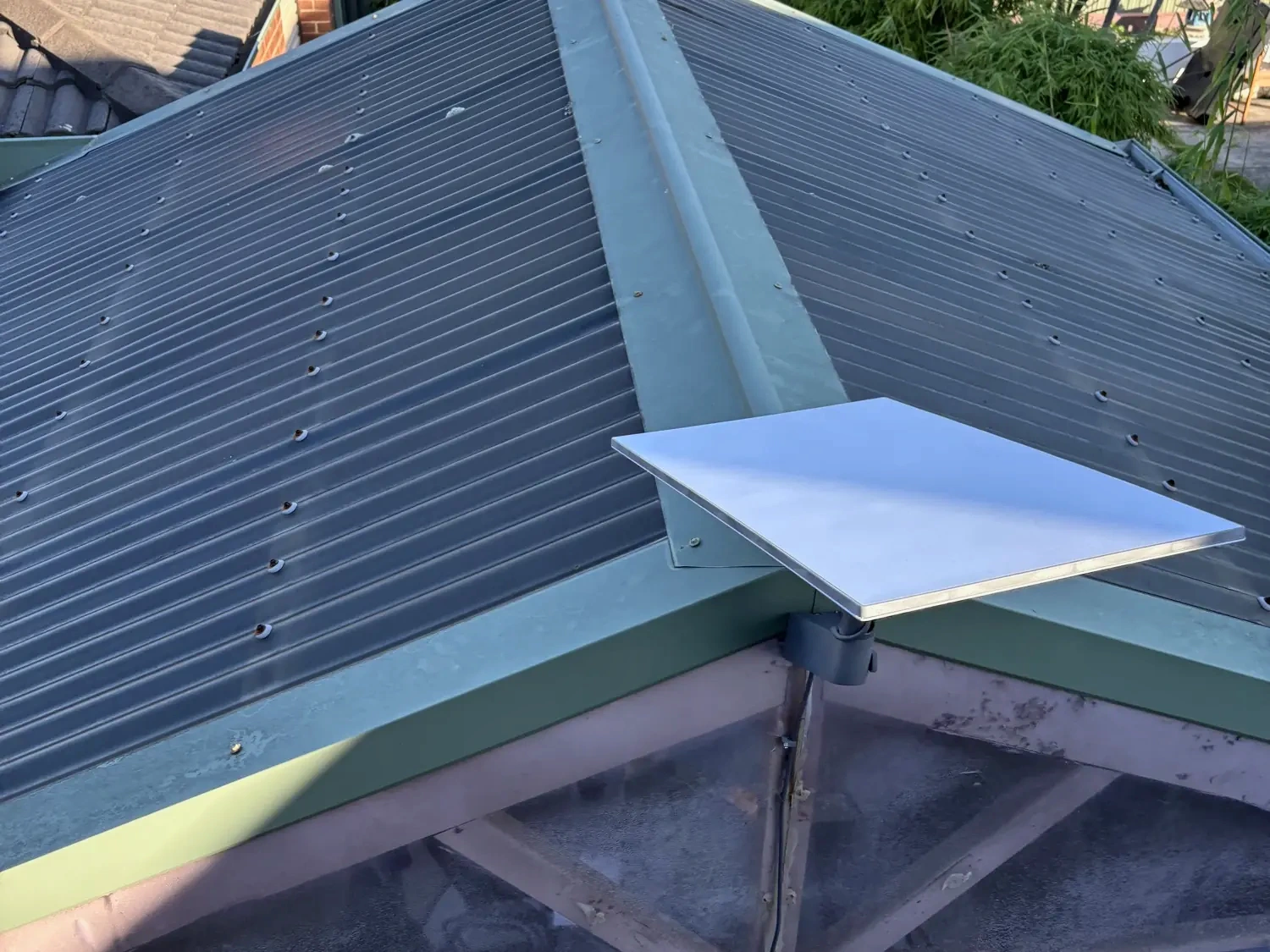
- Internet in. A Starlink Standard dish on the right mount for your roof. See Starlink installation.
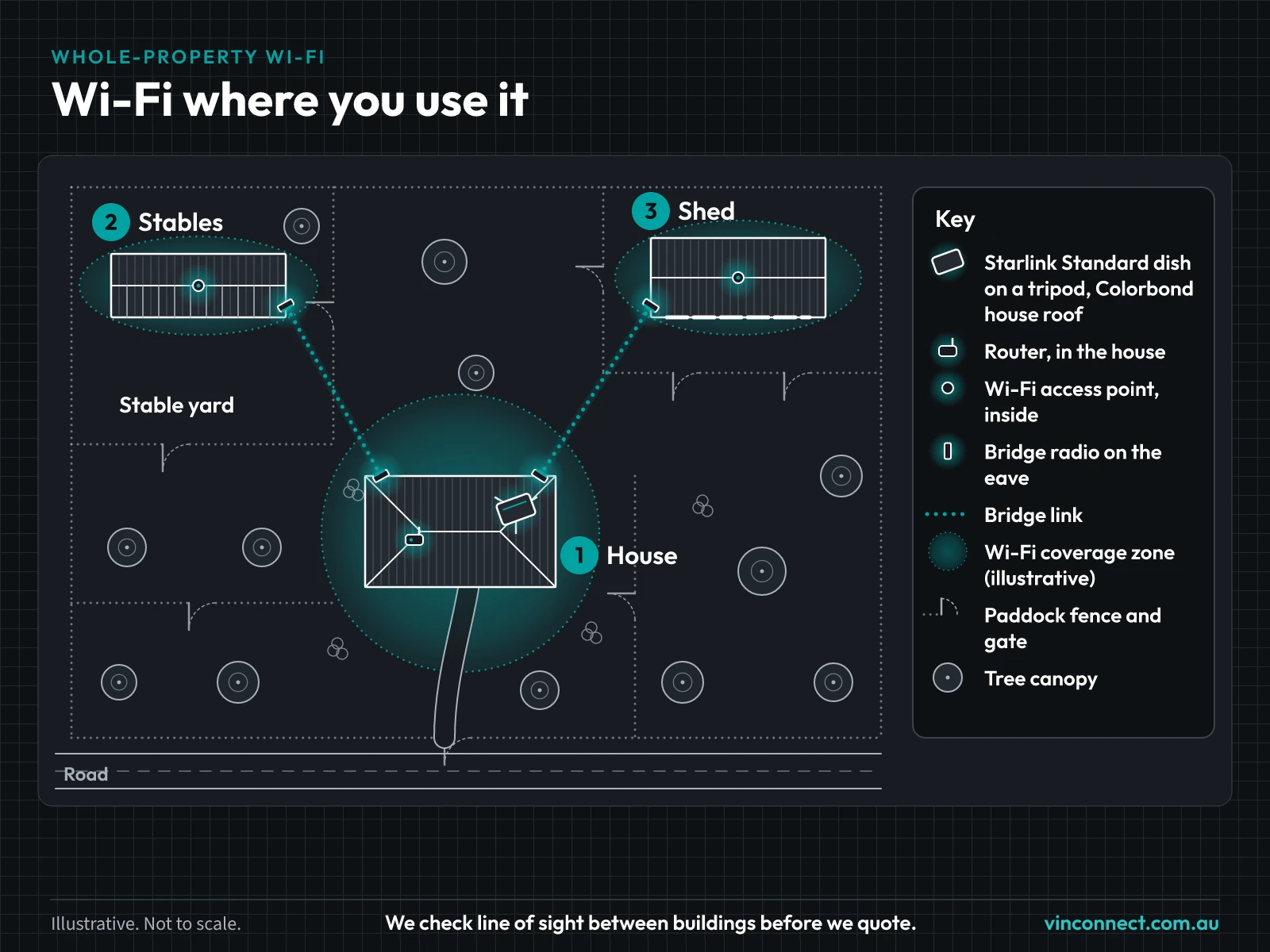
- Access points where you need them. Inside the house, plus links and access points out to the sheds and outbuildings. Here's how a shed link works.
- One network. One Wi-Fi name across your access points, managed together so phones can move between them.
Several buildings to join up? See multi-building networks. On a farm? See rural connectivity.
The gear
- Internet in: a Starlink Standard dish on the right mount for the roof: a tripod on Colorbond or an under-tile mount on tile. A wall mount is used where it suits.
- Wi-Fi across the house: Omada EAP613 indoor access points (or UniFi U6 or U7), placed where people actually use the internet, not just next to the router.
- Reaching other buildings: EAP215-Bridge links (or UniFi Building Bridge or UISP airMAX bridges) to sheds and outbuildings.
- Switching and power: a Mercusys PoE switch running the access points over network cable. Each building with a radio or access point needs a power point, and the radios run on surge-protected power.
- One network: everything is managed from one Omada (or UniFi) controller, so phones can move between access points as you walk around.
- Price: Enter your address in Get my price for the Starlink install price, plus mounts. The estimator shows mount costs for your roof. The Wi-Fi network is quoted after a site check.
A house, a garage and a shed
Hypothetical example. Not a real customer.
A rural block with a house, a garage and a shed. The dish is on a tripod on the Colorbond house roof. Two access points cover the house. A bridge link reaches the shed, with an access point inside the shed. One Wi-Fi name works across the access points. Got horses as well? See internet for horse properties or how a connected horse property fits together.
Where does it drop out?
Drop a pin on your house. Mark the sheds and buildings where you want Wi-Fi, then send it through. We check line of sight and distance before we quote. The property planner also works on its own page.
Whole-property Wi-Fi questions
- Why not just a mesh kit from the shop?
- Shop mesh kits are made for one house. Reaching sheds and outbuildings takes proper links and access points, planned around your block.
- Can you use my existing Starlink router?
- Our network connects to your Starlink router. We'll check your model at the site check.
- How much does it cost?
- Enter your address in Get my price for the Starlink install price, plus mounts. The estimator shows mount costs for your roof. The Wi-Fi network is quoted after a site check.
Get a Wi-Fi price
Tell us about your property and we'll check what's possible before we quote. Check whether we cover your area on our service areas page, for example Cranbourne or the Gippsland region.