Why the Wi-Fi drops off
Your Starlink brings the internet to one spot: the router. From there the Wi-Fi has to get through walls and floors, and brick, concrete, metal and distance all soak it up. So the kitchen is fine and the back bedroom isn't.
Start with the router spot. Starlink's own advice: put it somewhere central and open, near where you use your devices, sitting on its base rather than on its side, and not shut in a cabinet. Here's where your Starlink router should go.
If some rooms are still weak, add more Wi-Fi points around the house. That's what mesh does: the units work together as one network. Mesh covers one building, though. It won't reliably reach a separate shed or granny flat.
Start with Starlink Mesh
Starlink sells its own mesh routers through the Starlink shop. They're the simplest add-on, because they're made for your Starlink router and set up in the Starlink app.
Setting it up
- Make sure your Starlink is set up and online.
- Plug the mesh router into a power point, about one to two rooms from your main router.
- Stay on your Starlink Wi-Fi and open the Starlink app.
- Within a minute or two, a new mesh node notice appears in the app. Tap Pair.
Wireless pairing is the quickest to set up. In bigger homes, Starlink says a cable between the routers gives the best result. Starlink doesn't recommend more than three mesh routers, and they work best paired straight to the main router rather than chained one after another.
Which Starlink routers work together
- Router Mini is Starlink's compact router. Some Starlink Standard kits come with it as the main router, and it also works as a mesh router.
- Router 3 comes with other Starlink Standard kits. It works as a main router or a mesh router.
- The older tall Starlink router (glass front) meshes with both. If it's the router that powers your dish, it has to stay the main router.
- The first Starlink router, the one that came with the round dish, doesn't support mesh.
- Starlink mesh routers can't join a third-party mesh system. Pick one or the other.
Not sure which one you have? Starlink's help page "Which Starlink router do I have?" shows each one.
Prefer Deco, Orbi or another mesh system?
That's fine. Starlink's method: connect your own router behind the Starlink router, then turn on Bypass mode in the Starlink app. Bypass switches the Starlink Wi-Fi off and lets your system run the network. To undo it, you factory reset the Starlink router. The older tall Starlink router (glass front) needs Starlink's Ethernet adapter for this. Starlink says it can't guarantee how third-party gear performs, and some Starlink app features may not work.
The usual consumer options:
- TP-Link Deco: TP-Link's mesh system, set up and managed in the Deco app.
- Netgear Orbi: a router plus one or more satellites, managed in an app.
- eero: Amazon's mesh Wi-Fi system.
- ASUS ZenWiFi and AiMesh: AiMesh links compatible ASUS routers into one mesh. ZenWiFi is ASUS's mesh range.
- Google Nest Wifi Pro: Google's mesh system, set up in the Google Home app.
- Mercusys Halo: a mesh system that runs one network with one name and password.
If you're choosing from scratch, Deco and Orbi are the two we'd look at first.
Larger properties, sheds, outbuildings and commercial sites
A shed, workshop, stable or granny flat needs the internet carried there first, then Wi-Fi inside. The usual way is a wireless link: a pair of outdoor radios, one on each building, aimed at each other. It needs a clear line of sight and power at both ends. An access point inside gives you Wi-Fi in that building. If the building is close and the cable path is easy, a cable can do the job instead.
This is where UniFi (from Ubiquiti) and Omada (from TP-Link) come in. Both make business-grade access points, outdoor gear and building-to-building bridges, managed from one app or controller. Both suit larger properties, sheds, outbuildings and commercial sites. Starlink's routers are made for indoor use, so they aren't the answer outside.
More in Wi-Fi into a shed, point-to-point wireless, explained and mesh or a wireless bridge?
How to choose
- One house, a few weak rooms: Starlink Mesh.
- You already own Deco or Orbi, or want your own system: run it behind the Starlink router in Bypass mode.
- Larger properties, sheds, outbuildings or a commercial site: UniFi or Omada, with a link to each building. See whole-property Wi-Fi and wireless links.
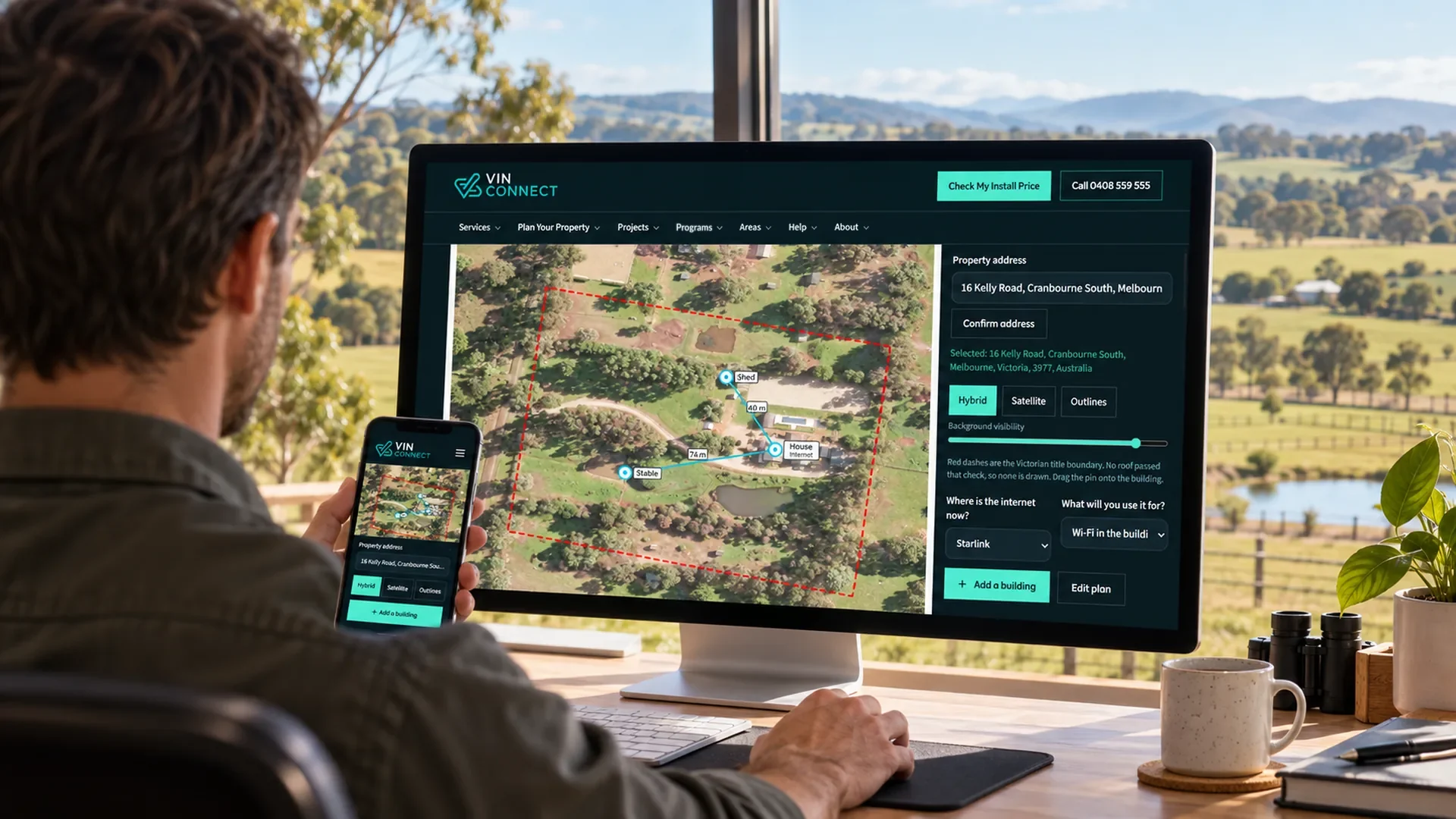
- Not sure: check the router spot first, then mark your buildings on the property planner or call us.
Questions
- Do Starlink mesh routers work with my Starlink?
- Yes, if you have Router Mini, Router 3 or the older tall Starlink router (glass front). The first Starlink router, the one that came with the round dish, doesn't support mesh.
- How many Starlink mesh routers should I add?
- Starlink doesn't recommend more than three. Place each one about one to two rooms from the main router, so it pairs straight to it.
- Can I use Deco or Orbi with Starlink?
- Yes. Connect it behind the Starlink router and turn on Bypass mode in the Starlink app. Bypass switches the Starlink Wi-Fi off, so use one mesh system, not both.
- Will a mesh system reach my shed?
- Usually not. Mesh covers one building. A shed needs a wireless link or a cable, then Wi-Fi inside.
Brand names are used only to describe products. VINCONNECT is an independent installer. It isn't affiliated with Starlink, SpaceX, Netgear, Amazon (eero), ASUS, Google, Mercusys or Ubiquiti (UniFi), and isn't endorsed by TP-Link or Omada.
Getting Starlink installed, or sorting the Wi-Fi? Get my price · Call 0408 559 555